Unity Integration
This page guides you through the process of downloading, importing, and configuring the Yodo1 MAS SDK for Unity.
Prerequisites
To integrate the Yodo1 MAS SDK on Unity, you need to meet the following requirements:
- Unity 2021.3.41f1 or above
- For Android
- Minimum API Level 24 or above
- Target API Level 34 or above
- If you use Proguard, please refer to the documentation.
- For iOS
- iOS 13.0 or above.
- Xcode 26.1.1 or above
- Cocoapods 1.10.0 or above
Download and Import
Download the SDK
Download the latest SDK package:
Download the Demo Script
A complete Unity C# demo script is also available for reference:
Import the Unity Package
- Open your Unity project and import the Unity package
- The files will automatically populate in your project
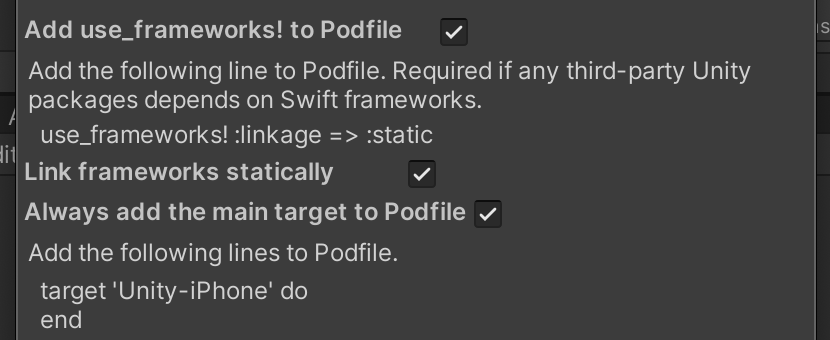
- For iOS builds, update your iOS resolver settings under External Dependency Manager -> iOS Resolver:
Ad Network Manager
Starting from MAS 4.8.10, we have introduced the Ad Network Manager, allowing dynamic addition or removal of ad networks.
Please contact support for advice on which ad networks are safe to remove without impacting performance. Additionally, if your app has strong traffic from Russia, we recommend adding the Yandex Ads SDK to better monetize that region.
Configure the SDK
You need to add your Appkey manually in your project if you haven’t added your game’s store link in the MAS dashboard yet. You can find your app key in MAS dashboard.
SDK Settings
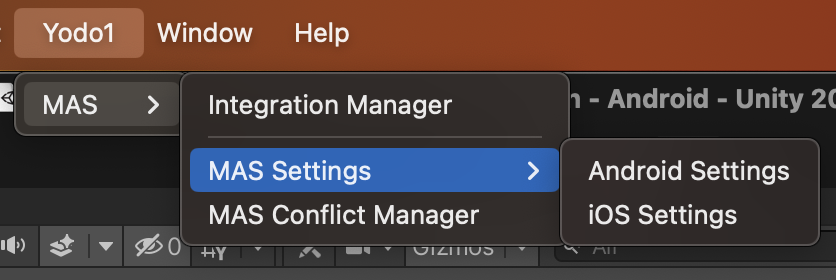
- Go to
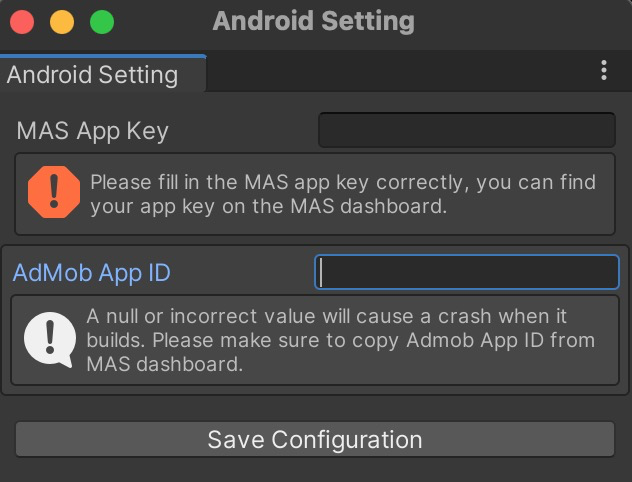
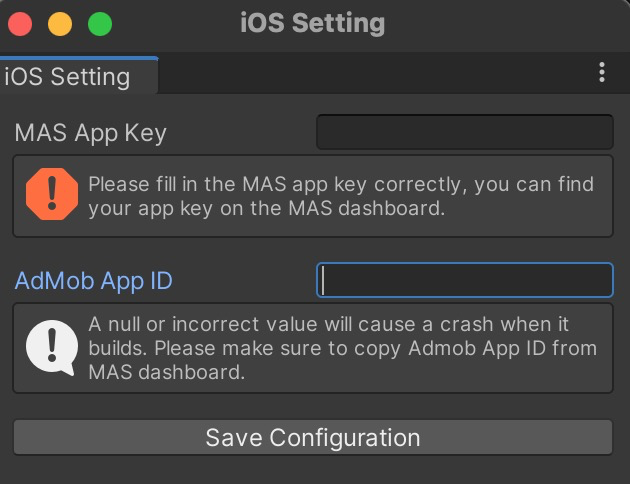
Yodo1->MAS Settingsin Unity Editor - Configure your app-key and AdMob key for both Android and iOS platforms
Android settings:
iOS settings:
Legal Framework Configuration
Enable Google UMP
The MAS SDK has integrated Google's consent management solution, the UMP SDK, and has automatically configured GDPR messages for applications that have EEA and UK users. The GDPR consent form is presented to EEA and UK users starting from their second launch by default.
If you wish to activate the UMP SDK from the initial launch, enable it before initializing MAS:
Yodo1AdBuildConfig config = new Yodo1AdBuildConfig()
    .enableUserMessageingPlatform(Yodo1MasUMPState.ENABLE);
Yodo1U3dMas.SetAdBuildConfig(config);
If you collaborate with a different CMP solution or your application does not include users from the EEA and UK, you can deactivate UMP:
Yodo1AdBuildConfig config = new Yodo1AdBuildConfig()
    .enableUserMessageingPlatform(Yodo1MasUMPState.DISABLE);
Yodo1U3dMas.SetAdBuildConfig(config);
For more details, see the detailed guide on UMP.
Configure COPPA
- It's mandatory to set privacy frameworks to comply with store policies and avoid revenue loss
- If you use MAS built-in privacy dialog, COPPA will be configured automatically
- If you prefer using your own privacy dialog, you should check the user's age and set COPPA manually
- You need to set COPPA before initializing MAS
The Children's Online Privacy Protection Act (COPPA) is an American legal framework that safeguards children's privacy. If your app is designed for children under 13 years of age, it must include COPPA compliance.
// For users under 13
Yodo1U3dMas.SetCOPPA(true);

// For users 13 and above
Yodo1U3dMas.SetCOPPA(false);
Configure GDPR
- It's mandatory to set privacy frameworks to comply with store policies and avoid revenue loss
- GDPR consent is handled by the Google UMP dialog; set the value below only if you are using your own privacy dialog
- You need to set GDPR before initializing MAS
The General Data Protection Regulation (GDPR) applies to users in the European Union (EU) and European Economic Area (EEA). Users under 16 must opt out of data collection.
// Default value when using Google UMP
Yodo1U3dMas.SetGDPR(true);
Configure CCPA
- It's mandatory to set privacy frameworks to comply with store policies and avoid revenue loss
- CCPA consent is handled by the Google UMP dialog; set the value below only if you are using your own privacy dialog
- You need to set CCPA before initializing MAS
The California Consumer Privacy Act (CCPA) is a legal framework that protects the privacy of California residents in the USA.
// Default value when using Google UMP
Yodo1U3dMas.SetCCPA(false);
Initialize the SDK
Initialize the SDK in the Awake method of your MonoBehaviour class:
using Yodo1.MAS;

public class YourClass : MonoBehaviour
{
    void Awake()
    {
        Yodo1U3dMas.InitializeMasSdk();
    }
}
You can check the initialization status using callbacks:
Yodo1U3dMasCallback.OnSdkInitializedEvent += (Yodo1MasSdkConfiguration configuration, Yodo1U3dAdError error) =>
{
    if (configuration != null)
    {
        Debug.Log("[Yodo1 Mas] The initialization has succeeded,Yodo1MasSdkConfiguration: " + configuration.ToString());
    }
    else
    {
        Debug.Log("[Yodo1 Mas] The initialization has failed with error " + error.ToString());
    }
};